


Verify Execution
Create a New Verify Task
Click the hamburger menu (top-left) and select Verify.
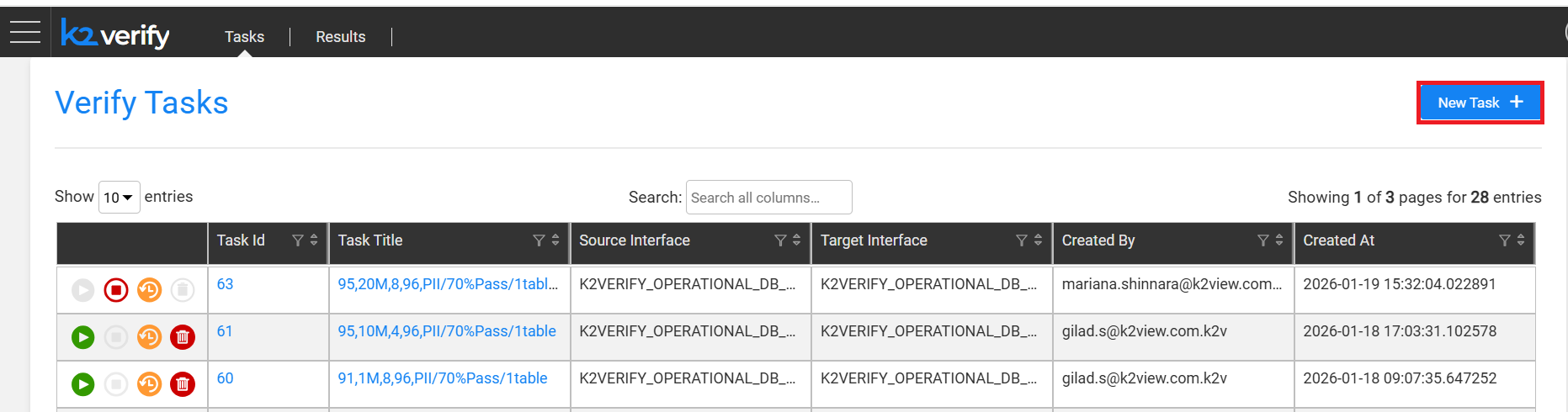
Click New Task.
Fill in the task details:
| Field | Description | |:---|:---| | Task Title | Descriptive name for the task | | Task Description | Short description (optional) | | Source Environment | Source environment —
_devselected by default | | Target Environment | Target environment —_devselected by default | | Source Interface | Interfaces deployed in the selected source environment | | Target Interface | Interfaces deployed in the selected target environment | | Source & Target Table Selection | Choose From Settings (predefined configs) or Add Tables at Runtime (JDBC or Catalog) | | Verify PII Fields Only | Runs verification only on PII fields, skipping regular columns | | Source Contains Sensitive Data | Indicates source has unmasked PII — affects comparison logic | | Target Contains Sensitive Data | Indicates target has unmasked PII — affects comparison logic | | Include Passed Verifications in Report | Adds passed records to the final report alongside failures | | Concurrency Threads per Node | Number of concurrent threads per table per node | | Pre-Execution Flows | Broadway flows (taggedverify_pre_execution) to run before verification | | Post-Execution Flows | Broadway flows (taggedverify_post_execution) to run after verification |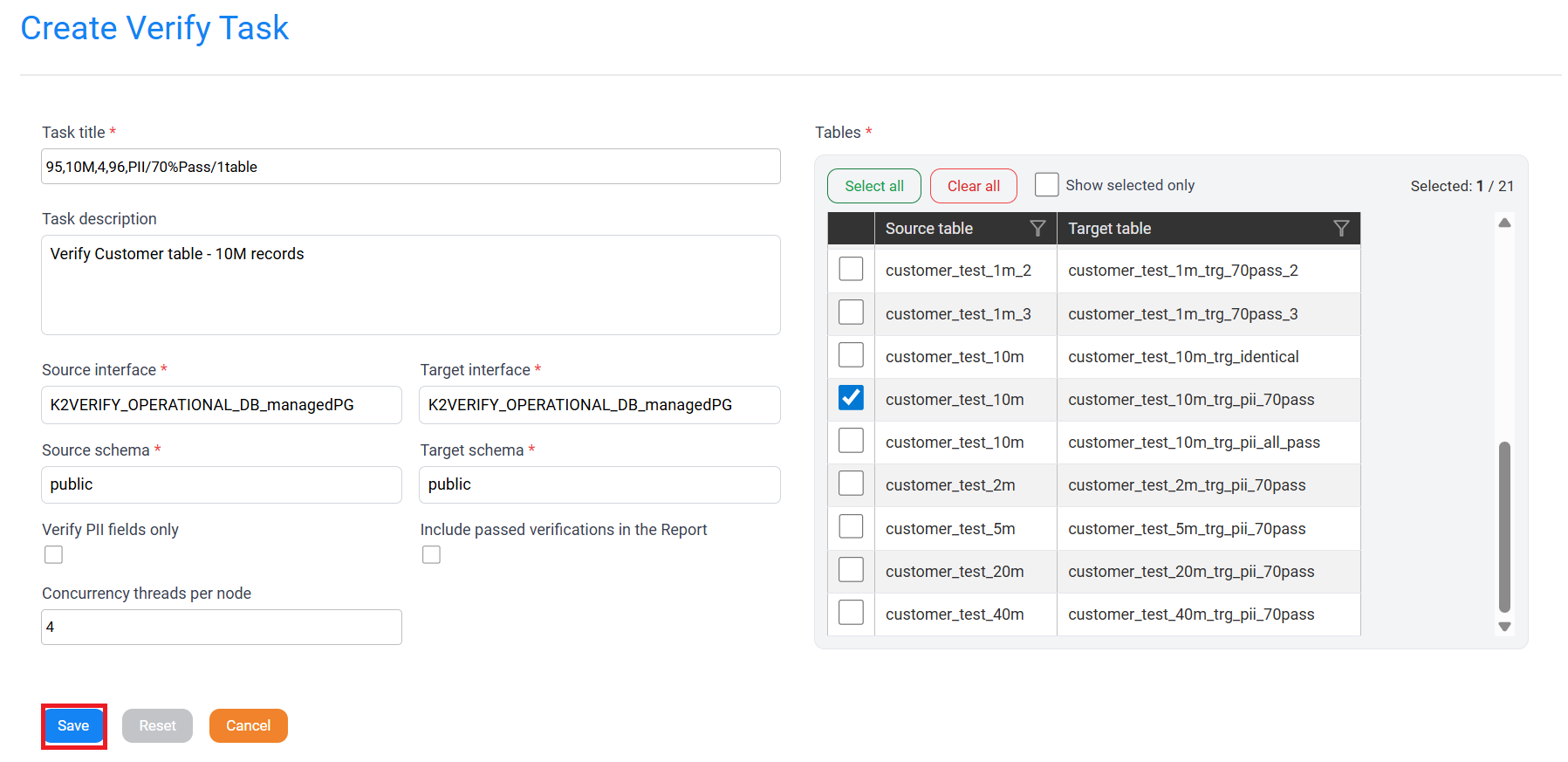
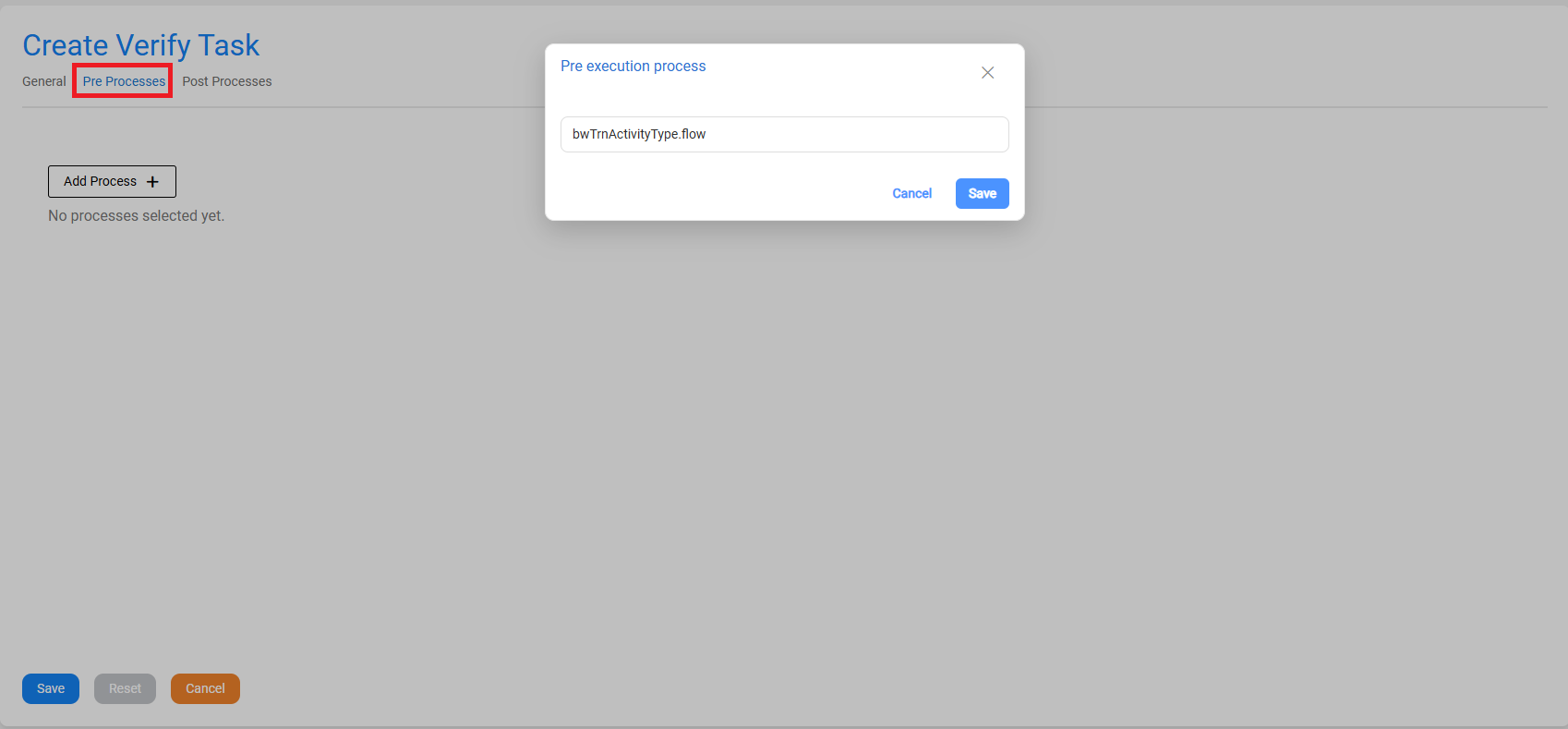
Click Save.
Execute the Verify Task
Click the Play (▶) icon next to the task.
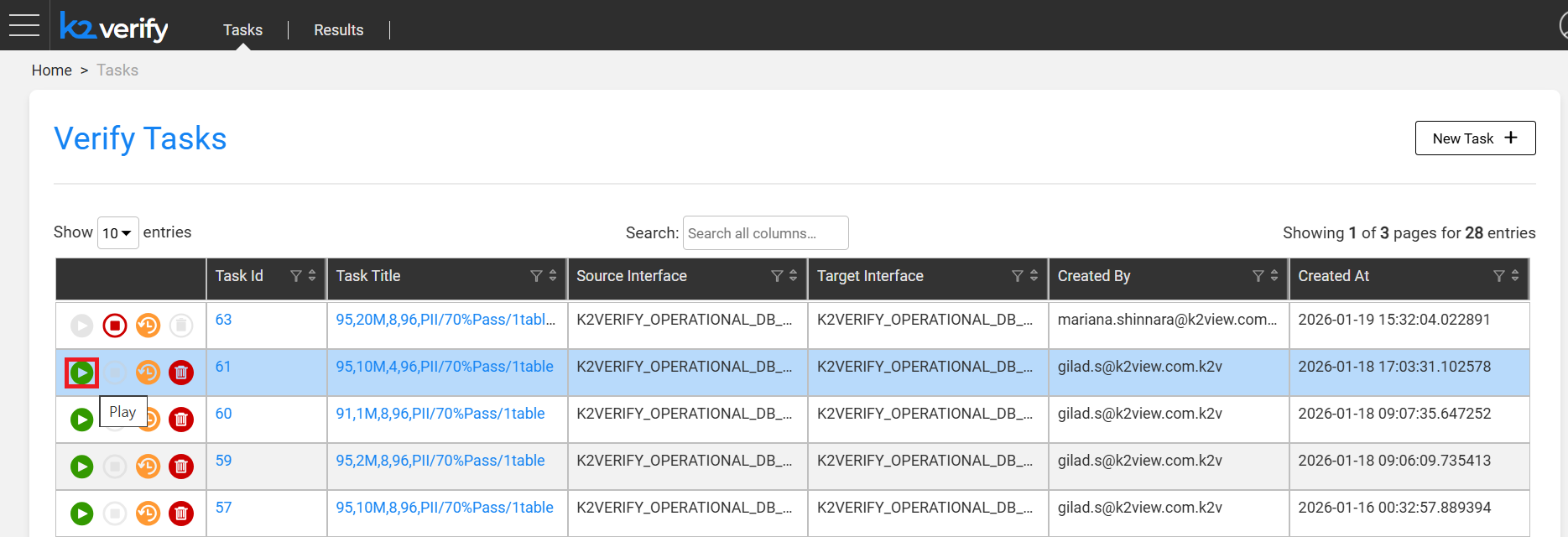
A validation flow runs before execution starts:
- Verifies source and target interfaces are accessible.
- Confirms selected tables exist.
- Validates key fields are present in both source and target.
- Checks that task configuration is valid.
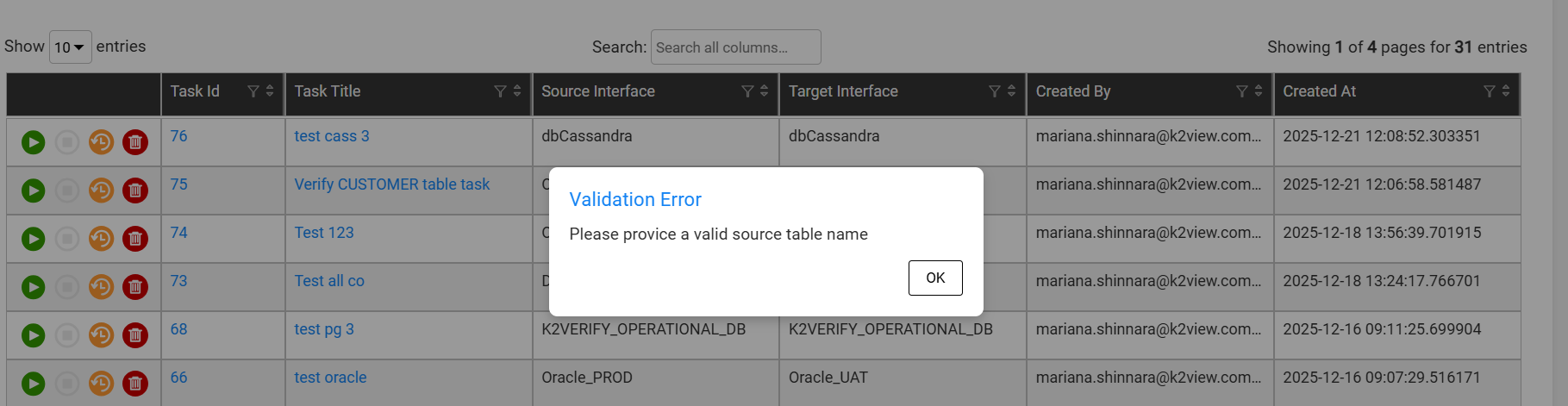
If any validation fails, an error is displayed before execution begins.
Note: Task execution uses the environments defined in the task, not the active Fabric session environment.
Verify Execution
Create a New Verify Task
Click the hamburger menu (top-left) and select Verify.
Click New Task.
Fill in the task details:
| Field | Description | |:---|:---| | Task Title | Descriptive name for the task | | Task Description | Short description (optional) | | Source Environment | Source environment —
_devselected by default | | Target Environment | Target environment —_devselected by default | | Source Interface | Interfaces deployed in the selected source environment | | Target Interface | Interfaces deployed in the selected target environment | | Source & Target Table Selection | Choose From Settings (predefined configs) or Add Tables at Runtime (JDBC or Catalog) | | Verify PII Fields Only | Runs verification only on PII fields, skipping regular columns | | Source Contains Sensitive Data | Indicates source has unmasked PII — affects comparison logic | | Target Contains Sensitive Data | Indicates target has unmasked PII — affects comparison logic | | Include Passed Verifications in Report | Adds passed records to the final report alongside failures | | Concurrency Threads per Node | Number of concurrent threads per table per node | | Pre-Execution Flows | Broadway flows (taggedverify_pre_execution) to run before verification | | Post-Execution Flows | Broadway flows (taggedverify_post_execution) to run after verification |
Click Save.
Execute the Verify Task
Click the Play (▶) icon next to the task.
A validation flow runs before execution starts:
- Verifies source and target interfaces are accessible.
- Confirms selected tables exist.
- Validates key fields are present in both source and target.
- Checks that task configuration is valid.
If any validation fails, an error is displayed before execution begins.
Note: Task execution uses the environments defined in the task, not the active Fabric session environment.
