


Task — Target Component — Tables
The following information needs to be set when the task's data type is Tables only:
- Target environment name - select one TDM environment from the drop-down list. The drop-down list displays the list of available target environments for the user.
- Actions to perform on the target environment.
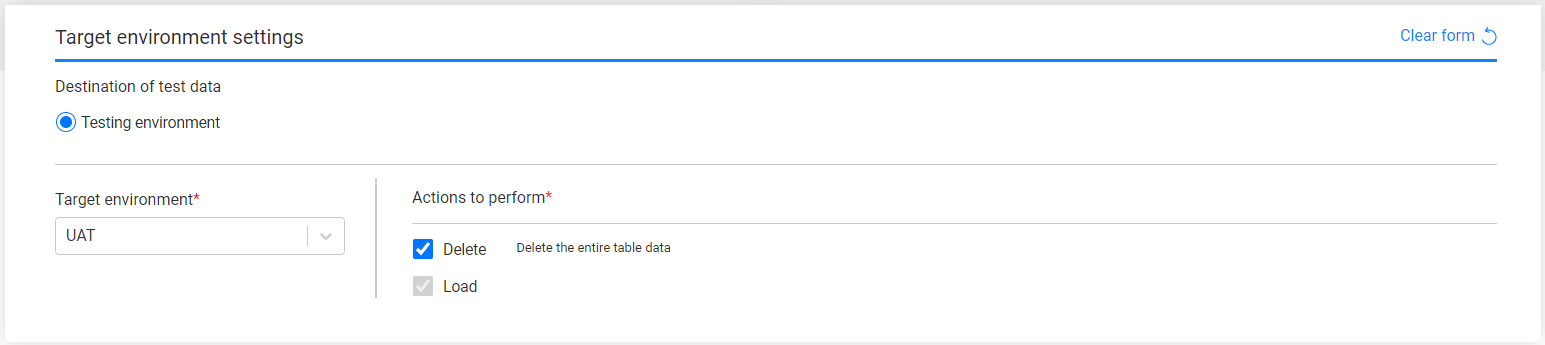
By default, both actions, Delete and Load, are checked. The Delete action deletes the entire table in the target environment before loading the table.
You can clear the Delete action checkbox, but be aware that loading without a delete action may cause data duplication or unique constraint violation when loading the tables into the target environment.
Affinity and Maximum number of Workers configuration
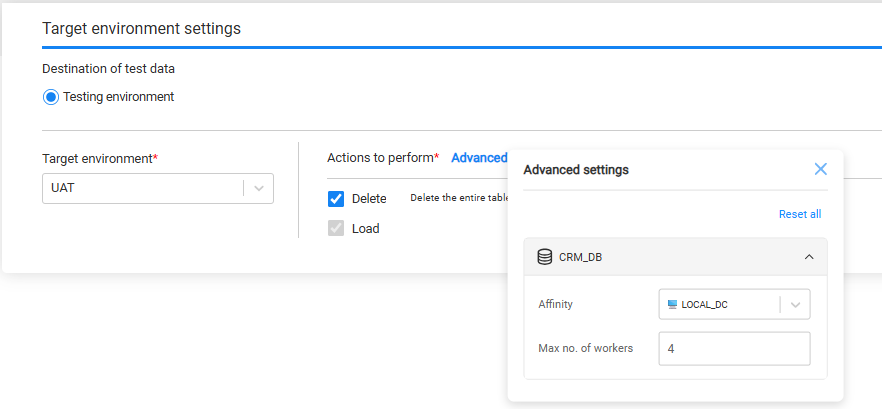
Starting with TDM 9.5, each interface of the selected tables supports configuration of:
Affinity
Maximum number of workers
By default, each interface its values from:
- The environment’s system settings, if defined and if the interface is attached to the environment's system or
- The TDM and Fabric configuration values
You can override these values per interface to better control and optimize task execution behavior. To configure these settings, click Advanced next to Actions to perform to open the configuration pop-up window:
Source and Target execution behavior
When both Source and Target components are defined for the task (Load, Extract & Load), the task execution uses the Target affinity and Target maximum number of workers.
Click here for more details on how task execution determines the effective affinity and maximum number of workers.
Task — Target Component — Tables
The following information needs to be set when the task's data type is Tables only:
- Target environment name - select one TDM environment from the drop-down list. The drop-down list displays the list of available target environments for the user.
- Actions to perform on the target environment.
By default, both actions, Delete and Load, are checked. The Delete action deletes the entire table in the target environment before loading the table.
You can clear the Delete action checkbox, but be aware that loading without a delete action may cause data duplication or unique constraint violation when loading the tables into the target environment.
Affinity and Maximum number of Workers configuration
Starting with TDM 9.5, each interface of the selected tables supports configuration of:
Affinity
Maximum number of workers
By default, each interface its values from:
- The environment’s system settings, if defined and if the interface is attached to the environment's system or
- The TDM and Fabric configuration values
You can override these values per interface to better control and optimize task execution behavior. To configure these settings, click Advanced next to Actions to perform to open the configuration pop-up window:
Source and Target execution behavior
When both Source and Target components are defined for the task (Load, Extract & Load), the task execution uses the Target affinity and Target maximum number of workers.
Click here for more details on how task execution determines the effective affinity and maximum number of workers.
